

What does SOS mean on iPhone is something many people notice at the worst possible moment. You pick up your phone to make a call, check a message, or use data, and suddenly, instead of signal bars, you see “SOS” or “SOS Only.”
This status usually indicates a network issue or limited connectivity. In this guide, we’ll explain the meaning clearly and walk you through quick fixes to restore your signal.
What Does SOS Mean on iPhone
Your iPhone cannot connect to your regular carrier network, but it can still make emergency calls. That’s the core meaning behind real fact.
Weak or no cellular signal
When your phone loses connection to nearby towers, it switches to SOS mode.
This often happens in:
- Remote areas
- Underground spaces
- Elevators or buildings with poor coverage
In this situation, understanding what does SOS on iPhone mean helps you recognize it’s not a device issue. It’s a signal limitation.

SIM card or carrier issues
If your SIM card is damaged, inactive, or not recognized, your phone cannot connect to your carrier.
Common causes include:
- Loose or misaligned SIM
- Expired or deactivated plan
- Carrier configuration errors
This is another reason behind what does SOS mean on my iPhone, especially if it happens suddenly without changing location.
Sudden SOS while traveling
When you move between regions or countries, your phone may lose connection temporarily.
This can happen because:
- Your carrier doesn’t support roaming
- Network compatibility issues
- Delays in switching between towers
In these cases, what does SOS only mean on iPhone becomes clearer, it’s your phone saying it can’t access your usual network but can still reach emergency services.
>>> Read more: How to Schedule a Text on iPhone: Smart Ways 2026
Step-by-Step: What to Do When You See SOS on iPhone
Most SOS issues come from connection problems, and they can usually be fixed with a few practical steps. Once you understand what does SOS mean on an iPhone, each action below becomes a logical way to restore your signal, not just something to try randomly.
Step 1: Move to an area with stronger signal
Start by changing your environment. Go outside, move closer to a window, or step away from walls and underground areas. Buildings, elevators, and basements can block cellular signals.
Step 2: Turn airplane mode on and off
This step forces your iPhone to reconnect to nearby networks. How to do it:
- Open Control Center
- Turn on Airplane Mode
- Wait about 10-15 seconds
- Turn it off again
This resets your phone’s connection to cellular towers. If the issue is temporary, this alone can resolve what caused what does SOS mean on iPhone to appear.
Step 3: Restart your iPhone
Restarting clears minor system glitches that may affect connectivity.
How to resstart iPhone:
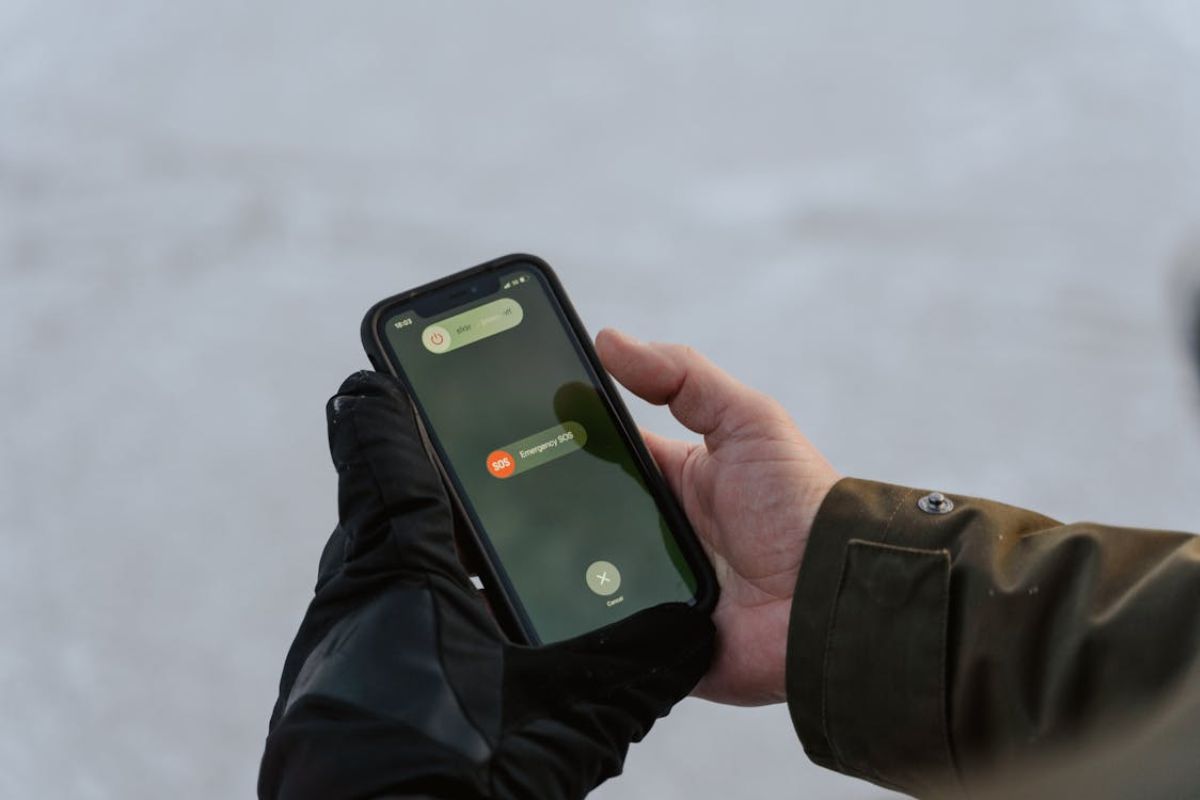
- Press and hold the power button
- Slide to power off
- Wait a few seconds
- Turn the phone back on
Sometimes, your phone fails to reconnect properly after losing signal. Restarting refreshes that process and helps resolve issues behind what does SOS on iPhone mean in everyday use.
Step 4: Check your SIM card placement
A loose or misaligned SIM card can interrupt your connection completely.
How to check your SIM card placement:
- Turn off your iPhone
- Use a SIM tool to remove the tray
- Check if the SIM is properly aligned
- Reinsert it firmly
- Turn your phone back on
If your SIM isn’t recognized correctly, your phone cannot connect to your carrier. This is a common but overlooked reason behind what does SOS mean on iPhone, especially after drops or handling the device.
Step 5: Verify carrier status or outages
Sometimes the issue is not your phone at all.
How to verify carrier status:
- Your carrier’s website or app
- Local outage reports
- Network status in your area
If there’s an outage, your phone will stay in SOS mode until service returns. In this case, understanding what does SOS mean on iPhone helps you avoid unnecessary troubleshooting, it’s simply a network issue.

How to Prevent SOS Mode From Happening Again
You can’t avoid it completely, but you can reduce how often it happens. Once you understand what does SOS mean on iPhone, prevention becomes about maintaining stable connectivity.
- Keep your SIM and plan active
Make sure your mobile plan is valid and not expired. If your service is interrupted, your phone may lose carrier access and switch to SOS mode. This is one of the most direct causes behind what does SOS mean on my iPhone in daily use.
- Update carrier settings regularly
Carrier updates improve network stability, which helps reduce issues behind what does SOS mean on iPhone. To check, go to Settings -> General -> About and wait a few seconds for any update prompt.
- Avoid prolonged low-signal areas
If you frequently stay in areas with weak signals, your phone will constantly struggle to connect. Over time, this increases the chances of entering SOS mode. If it happens often, switching carriers or using Wi-Fi calling may be a better long-term solution.
- Restart your phone occasionally
You don’t need to restart daily, but doing it occasionally helps maintain stable performance. It refreshes background processes and network connections, reducing the likelihood of issues linked to what does SOS mean on iPhone.
>>> Read more: How to Turn Off Find My iPhone: Fast Easy Guide You Can Trust
FAQs
What does SOS only mean on iPhone compared to no service?
SOS means your iPhone cannot connect to your carrier but can still access emergency networks. “No Service” means your phone has no connection to any network, so regular functions and sometimes even emergency routing may not work properly.
Why does my iPhone randomly switch to SOS?
This usually happens due to weak signal, SIM card issues, or temporary network interruptions. It can also occur when you move between coverage areas, enable Airplane Mode briefly, or when your carrier is experiencing outages.
How long does SOS mode usually last?
It depends on the cause. It may last only a few seconds during a signal drop, but it can continue longer if there is a SIM problem, poor coverage, or a network outage. The mode ends once your iPhone reconnects to your carrier.
Final Words
Now you know what does SOS mean on iPhone. SOS mode may look like a problem, but it’s actually a built-in safety feature. It appears when your iPhone loses normal network access but still keeps emergency connectivity.
Once you understand what it means, you can focus on the real cause signal, SIM, or network issues rather than guessing. In most cases, the issue is temporary and resolves once your connection returns.