



School apps, downloaded cartoons, and a case that survives the occasional tumble can matter more than impressive specifications when buying for children. Yet the best Android tablet for kids will look different for a beginning reader and a student juggling homework.
This Zeo Learn guide compares seven options across different needs and budgets, highlighting app access, practical protections, and the compromises worth checking before bringing a device home.
Best Android Tablets for Kids: 7 Options Worth Comparing
If you are wondering what is the best Android tablet for kids, start with your child’s apps and daily activities. This comparison includes six Android options and Amazon’s Android-based Fire OS alternative, which lacks Google Play by default.
| Tablet | Main Appeal | Key Consideration |
| Galaxy Tab A11+ Kids Edition | Protective accessory bundle | Large for small hands |
| Galaxy Tab A11+ | Flexible family use | Case purchased separately |
| Lenovo Tab M11 | Study and drawing | Pen bundle varies |
| Galaxy Tab S10 Lite | Included S Pen | More than basic entertainment needs |
| onn. 8-inch Kids Tablet | Compact protective design | Limited internal storage |
| Fire HD 8 Kids Pro | Managed Amazon content | Different app ecosystem |
| Contixo V9 | Simple starter package | Older software |
Samsung Galaxy Tab A11+ Kids Edition
A protective cover, tethered Crayo-Pen, and Samsung Kids setup guide make this bundle convenient for families. Its 11-inch display and 128GB storage provide room for everyday learning and entertainment.
Compare its price with the standard tablet plus accessories. The Crayo-Pen is not an S Pen, and this model does not support S Pen input.
Samsung Galaxy Tab A11+
For families seeking the best Android tablet for kids that balances schoolwork and entertainment, the Samsung Galaxy Tab A11+ is worth considering. It features an 11-inch display, with configurations starting at 6GB RAM and 128GB storage for educational apps, videos, and everyday tasks.
Add a protective case and set up parental controls before use. Its flexible accessories and spacious display make it a practical choice for shared family use rather than a dedicated kids-only tablet.
Lenovo Tab M11
Drawing, reading, and school documents benefit from the Tab M11’s 11-inch display. Compatible Lenovo pens support pressure sensitivity and palm rejection, adding possibilities beyond tapping through apps.
Check the exact package because a pen is not included with every configuration. Compare memory, storage, and remaining software support before choosing an older discounted unit.
Samsung Galaxy Tab S10 Lite
Handwritten assignments and sketching give the Tab S10 Lite a practical role for school-age children. Its included S Pen avoids a separate stylus purchase, while Samsung’s handwriting tools support note-taking.
Choose it when pen input serves a real purpose. For videos and simple games alone, a less expensive model may cover your child’s needs.
onn. 8-inch Kids Tablet
For parents looking for the best Android tablet for kids on a budget, the onn. 8-inch Kids Tablet offers a practical option. This 2024 model features Android 14, 3GB RAM, 32GB storage, and Google Kids Space for age-appropriate content.
Its protective bumper case includes a handle and kickstand for easier everyday use. While expandable storage provides extra space for media, parents should check app compatibility and configure parental controls before use.
Amazon Fire HD 8 Kids Pro
Designed for ages six to twelve, Fire HD 8 Kids Pro combines Amazon’s child profiles with parent-managed content access.
Fire OS is Android-based but uses Amazon’s ecosystem rather than standard Google Play access. Confirm required school apps before buying, and review Kids+ subscription terms when comparing the complete cost.
Contixo V9
Protective accessories and preloaded educational activities make the Contixo V9 a straightforward starter option. Its listed configuration includes a seven-inch display, Android 11, 2GB RAM, and 32GB storage.
Expect basic performance and check learning-app compatibility carefully. Advertised playtime reaches 4.5 hours, making battery endurance another consideration for travel or longer use.
>>> Read More: Samsung Tablet Won’t Turn On? 7 Fixes to Try First
How to Choose the Best Android Tablet for Kids
The best tablet for kids should combine reliable parental controls, age-appropriate apps, durability, and sufficient battery life. Consider these features before choosing a device.
Parental Controls, Age Suitability, and Durability
Look for parental controls such as Google Family Link, Samsung Kids, or Google Kids Space, depending on the device. These tools can help manage apps, screen time, and content access.
Choose a tablet suited to your child’s age, with a protective case, durable construction, and a comfortable screen size.
Performance, Educational Apps, and Battery Life
Compare RAM, storage, and processor performance to ensure educational apps and games run smoothly. Check Google Play compatibility, especially when considering Amazon Fire tablets, which use Fire OS.
Prioritize reliable battery life for schoolwork, travel, and entertainment. Remember to factor accessories and optional subscriptions into the overall cost.
Android vs. Amazon Fire Tablets: Which Is Better for Kids?
School assignments and downloaded stories can place different demands on a child’s tablet, making app availability an important distinction. Although Fire OS is Android-based, Amazon Fire tablets use a different app ecosystem, so check essential apps before choosing.
| Feature | Android Tablet | Amazon Fire Tablet |
| Operating system | Standard Android | Amazon’s Fire OS |
| App availability | Google Play on certified devices | Amazon Appstore; no Google Play by default |
| Parental controls | Family Link; manufacturer tools vary | Amazon Kids and Parent Dashboard |
| Educational content | Broad app selection | Amazon-compatible apps and Kids+ content |
| School compatibility | Often more flexible | Verify required school apps |
| Best suited for | Schoolwork and general use | Managed entertainment and reading |
A More Affordable Way to Get a Tablet for Your Family
Kids’ needs change quickly. A tablet that starts as a way to watch educational videos may eventually become useful for homework, reading, and staying connected with family. But finding a device that fits your budget doesn’t have to mean paying full retail price.
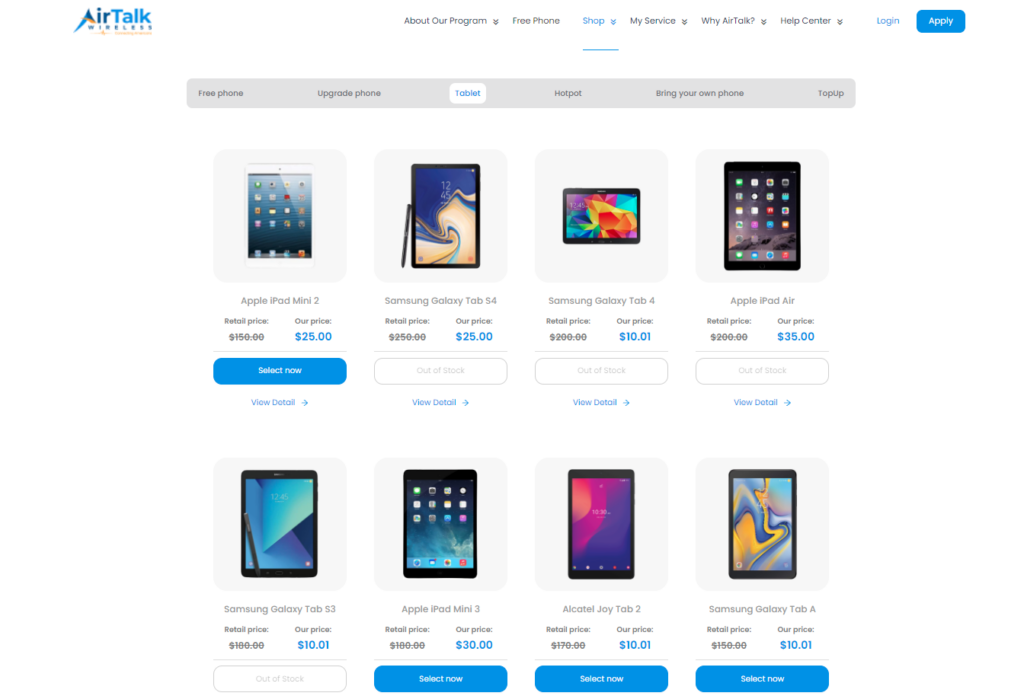
AirTalk Wireless offers another option for eligible households. As a participating Lifeline provider, AirTalk helps qualifying customers save on monthly wireless service while offering separate tablet promotions.
Depending on current offers, families may find free or discounted tablets from brands such as Samsung, Apple, and TCL. These devices can support everyday activities, although parents should check software compatibility, age-appropriate apps, and parental controls before choosing one.
Lifeline eligibility may be based on household income or participation in programs such as SNAP or Medicaid. However, Lifeline itself does not guarantee a free tablet, and promotional availability varies by location and inventory.
Enter your ZIP code on AirTalk Wireless to explore available tablet offers for your household.
>>> Read More: Best Tablet for Kids in 2026: 10 Safe, Fun & Parent-Approved Picks
FAQs
Is 8GB of RAM necessary for a kids’ tablet?
No, 8GB of RAM is not essential for reading, streaming, and many educational apps; 4GB to 6GB can be sufficient, depending on the processor and software. More memory becomes useful for demanding games or frequent multitasking, but RAM alone does not guarantee smooth performance.
Is an 8-inch or 11-inch tablet better for kids?
An eight-inch tablet is generally easier to carry and handle, while an eleven-inch screen provides more space for worksheets, reading, and multitasking. Consider your child’s age, the device’s weight with its case, and whether it will mostly be held or used on a desk.
Do kids need a cellular tablet?
Most children can use a Wi-Fi tablet at home or school and download approved content before traveling. Cellular connectivity may help when reliable Wi-Fi is unavailable, but it adds device and service costs without replacing parental supervision or content restrictions.
Which Android tablet has the best parental controls?
No single model is best for every family, but compatible Samsung tablets offer a useful combination of Google Family Link supervision and Samsung Kids. Compare app approvals, purchase restrictions, screen-time settings, and content controls on the exact device, since available features vary.
Final Thoughts
Kids need more than a tablet that keeps them entertained. The right device should make learning enjoyable, support age-appropriate apps, and give parents confidence through reliable safety features.
The best Android tablet for kids balances performance, durability, parental controls, and long-term value without unnecessary extras. For more family-friendly tablet recommendations, practical buying tips, and device comparisons, explore other helpful guides from Zeo Learn.