


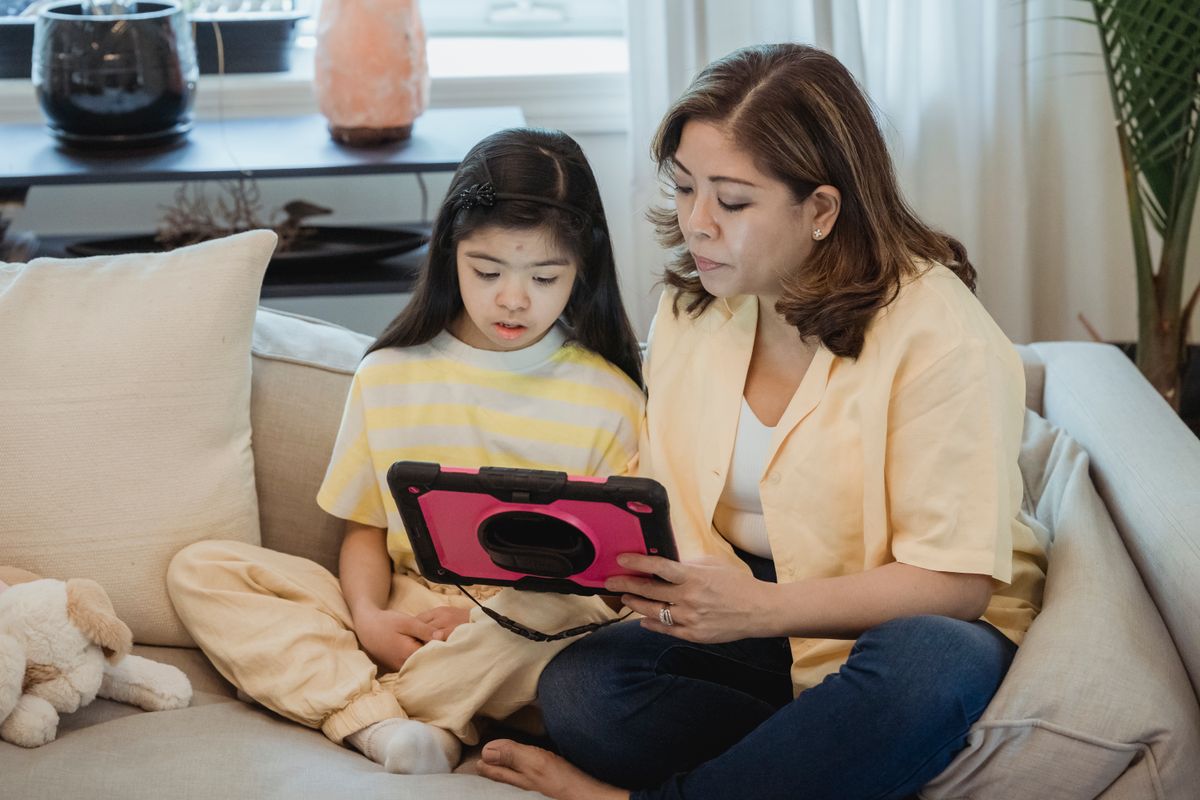

Screen time can be more meaningful when children have the right tools for learning, creativity, and entertainment. From durable tablets designed for younger users to powerful models that grow with older students, today’s options cover different ages and budgets.
Finding the best tablet for kids means balancing parental controls, performance, battery life, and durability while considering how your child will actually use the device.
1. What’s the Best Tablet for Kids: 10 Top Picks
The best tablet for kids depends on their age, budget, and learning needs. Amazon Fire Kids tablets suit younger children, while Apple iPads and Samsung Galaxy tablets offer more flexibility for schoolwork and creative activities.
| Tablet | Screen size | Best for |
| Amazon Fire HD 10 Kids | 10.1 inches | Younger kids |
| Amazon Fire 7 Kids | 7 inches | First-time users |
| Apple iPad (A16) | 11 inches | School-age kids |
| Amazon Fire HD 10 Kids Pro | 10.1 inches | Older kids |
| Apple iPad mini (A17 Pro) | 8.3 inches | Travel and creativity |
| Samsung Galaxy Tab A9+ | 11 inches | Everyday family use |
| Lenovo Tab M11 | 11 inches | Learning and drawing |
| Apple iPad Air (M3) | 11 or 13 inches | Teens and advanced users |
| Samsung Galaxy Tab S10 FE | 10.9 inches | Students and artists |
| Amazon Fire HD 8 Kids | 8 inches | Younger kids |
1.1. Amazon Fire HD 10 Kids
The Amazon Fire HD 10 Kids offers a 10.1-inch Full HD display, protective case, and parental controls. Its larger screen suits educational games and videos, making it a practical option for younger children who need supervised entertainment.
1.2. Amazon Fire 7 Kids
The Amazon Fire 7 Kids is a compact, budget-friendly option for younger children. Its 7-inch display and protective case suit small hands, while parental controls help manage content. However, its modest performance is better suited to basic activities.
1.3. Apple iPad (A16)
The Apple iPad (A16) combines an 11-inch Liquid Retina display with reliable performance for schoolwork, educational apps, and entertainment. Apple Pencil compatibility supports creative activities, while Screen Time lets parents manage app access and device usage.
1.4. Amazon Fire HD 10 Kids Pro
Designed for older children, the Amazon Fire HD 10 Kids Pro features a 10.1-inch Full HD display and a slimmer protective case. It offers age-appropriate content access and parental controls, although its app selection is more limited than an iPad’s.
1.5. Apple iPad mini (A17 Pro)
The Apple iPad mini (A17 Pro) features an 8.3-inch display and powerful performance in a portable design. It’s particularly suitable for travel, reading, and drawing with a compatible Apple Pencil. However, its smaller screen may be less comfortable for extended schoolwork.
1.6. Samsung Galaxy Tab A9+
The Samsung Galaxy Tab A9+ is an affordable Android tablet with an 11-inch display, expandable storage, and Samsung Kids features. It works well for family entertainment and basic homework, although stylus-focused activities are better suited to other models.
1.7. Lenovo Tab M11
The Lenovo Tab M11 features an 11-inch display with a 90Hz refresh rate and compatible stylus support. It’s a practical choice for reading, handwriting, and drawing, while Google Family Link helps parents manage children’s digital activities.
1.8. Apple iPad Air (M3)
The Apple iPad Air (M3) offers powerful performance for teenagers handling demanding educational apps, creative projects, and multitasking. Available in 11-inch and 13-inch versions, it supports compatible Apple Pencil accessories but may be unnecessarily expensive for basic use.
1.9. Samsung Galaxy Tab S10 FE
The Samsung Galaxy Tab S10 FE combines a 10.9-inch display with an included S Pen, making it appealing for students interested in drawing and handwritten notes. Its productivity features also support school assignments and everyday entertainment.
1.10. Amazon Fire HD 8 Kids
The Amazon Fire HD 8 Kids offers a practical balance between portability and screen size. Its 8-inch display, protective case, and parental controls suit reading, educational games, and videos, especially for younger children.
>>> Read More: Where Can I Get a Free Government Tablet? Legit Options to Check in 2026
2. How to Choose the Best Tablet for Kids
The best tablet for kids should match their age, learning needs, and budget while offering reliable parental controls. Consider these factors before buying.
2.1. Age and Learning Needs
Choose a tablet based on your child’s activities:
- Ages 3–5: Simple interfaces, educational games, and videos.
- Ages 6–9: Reading apps, interactive lessons, and basic entertainment.
- Ages 10+: School apps, research, note-taking, and creative tools.
2.2. Parental Controls and Safety
Look for screen-time limits, content filters, app approval settings, and child profiles. Purchase restrictions also help prevent accidental spending. Amazon Kids, Apple Screen Time, and Google Family Link offer different ways to manage access.
2.3. Durability, Battery Life, and Price
Compare protective cases, battery life, storage, and warranty coverage. Include subscriptions and accessories in your budget, since a cheaper tablet may cost more over time.

3. Are Amazon Fire Tablets or iPads Better for Kids?
Amazon Fire tablets are generally better for younger kids and budget-conscious families, while Apple iPads are better for schoolwork, gaming, and creative activities. The best choice depends on your child’s age and needs.
| Feature | Amazon Fire Kids | Apple iPad |
| Parental controls | Built-in Amazon Kids profiles | Screen Time and Family Sharing |
| Apps and performance | Best for basic apps and entertainment | Broader app selection and stronger performance |
| Price | Generally more affordable | Higher upfront cost |
| Best for | Younger children and first-time users | Older kids and students |
For children who mainly read, watch videos, or play simple games, an Amazon Fire Kids tablet is often sufficient. An iPad may offer better long-term value for school assignments, drawing, and more demanding apps.
4. Can Low-Income Families Get an Affordable Tablet Through AirTalk Wireless?
For families on a tight budget, finding the best tablet for kids doesn’t always mean buying a brand-new device at full price. Eligible low-income households may find more affordable options through AirTalk Wireless, a provider participating in the federal Lifeline Program.
Lifeline helps qualifying households reduce monthly phone or internet service costs. AirTalk Wireless may also offer discounted tablets through its own promotions, making devices for online learning, educational apps, and everyday communication more accessible.
How to Apply for a Discounted Tablet
Families interested in AirTalk’s offers can follow these steps:
- Check eligibility: Qualify through SNAP, Medicaid, SSI, or household income requirements.
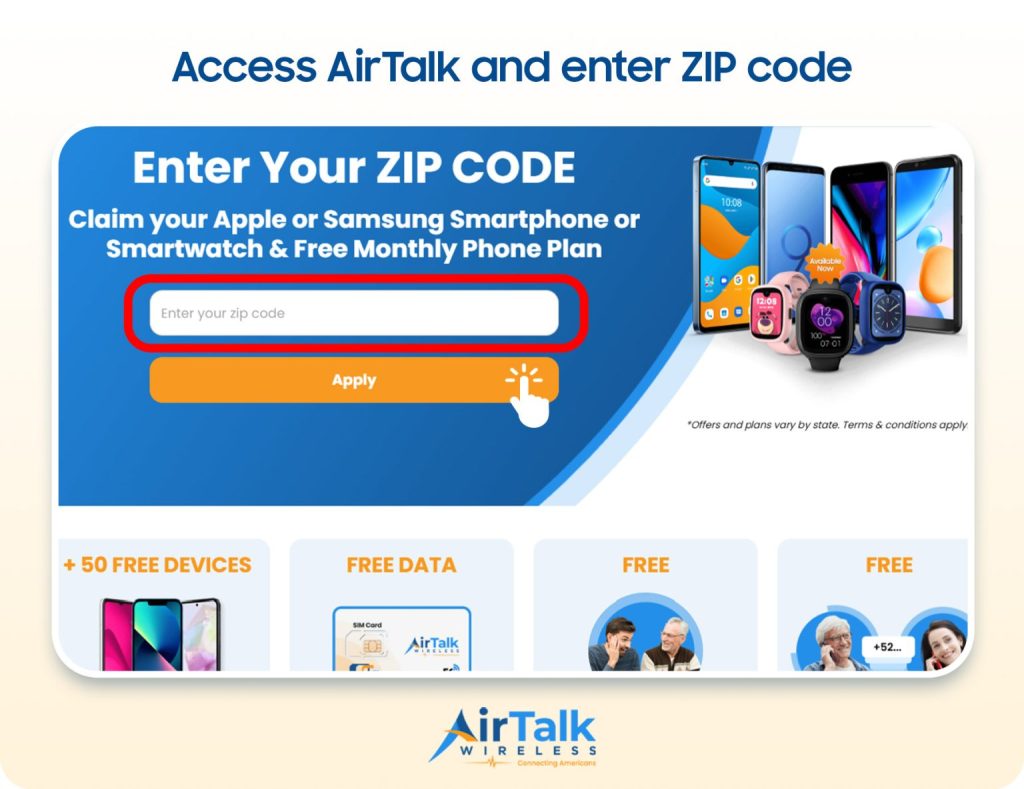
- Enter your ZIP code: Visit AirTalk Wireless to check available Lifeline plans.
- Explore tablet options: Compare available models, prices, and any required payment.
- Submit your application: Provide your information and eligibility documents if requested.
Tablet availability and pricing vary by location and current promotions. Lifeline supports monthly service costs, while discounted devices are separate offers provided by AirTalk Wireless.
5. FAQs
Should I buy a kids’ tablet or a regular tablet?
A kids’ tablet is generally better for younger children because it includes parental controls, a protective case, and a child-friendly interface. Regular tablets may suit older kids who need stronger performance, more apps, and greater flexibility for schoolwork.
How much storage does a kids’ tablet need?
A kids’ tablet typically needs at least 32GB of storage for basic apps, reading, and streaming. Choose 64GB or more if your child downloads games, educational apps, or offline videos. Expandable storage can also help manage growing needs.
What is the best tablet for a 7-year-old child?
The best tablet for a 7-year-old should offer parental controls, a durable case, and age-appropriate educational apps. Amazon Fire HD 8 Kids and Fire HD 10 Kids are practical options, while an Apple iPad offers greater app flexibility.
6. Final Thoughts
The best tablet for kids should fit your child’s current interests while leaving enough flexibility for learning, creativity, and entertainment as they grow.
Look beyond price alone and consider durability, parental controls, performance, battery life, and age-appropriate features before deciding. A well-matched tablet can remain useful for much longer than expected. Visit Zeo Learn for more practical tablet advice, comparisons, and buying guides.