


With so many tablets available, choosing the right one can feel surprisingly difficult. A bigger screen or faster processor might sound appealing, but do you really need those features for everyday use?
Knowing what to look for when buying a tablet can help you avoid overspending on features you won’t use. This guide covers eight important factors, from display quality to battery life, so you can find a device that fits your needs and budget.
1. What to Look for When Buying a Tablet: 8 Key Specs
When buying a tablet, consider its purpose, screen quality, operating system, performance, storage, battery life, connectivity, and total cost. The best choice depends on how you plan to use it.
| Factor | What to Check |
| Purpose | Streaming, studying, gaming, drawing, or work |
| Display | Screen size, resolution, brightness, panel type |
| Operating system | iPadOS, Android, or Windows |
| Performance | Processor, RAM, multitasking |
| Storage | 64GB, 128GB, 256GB, or more |
| Battery | Runtime and charging speed |
| Connectivity | Wi-Fi-only or cellular |
| Total cost | Tablet price, accessories, data plans |
1. Purpose and Everyday Use
Choose specifications based on how you plan to use your tablet. Basic browsing and streaming require less power than gaming or video editing. If you’re wondering what to look for when buying a drawing tablet, prioritize stylus pressure sensitivity, palm rejection, and compatibility with creative apps.
2. Screen Size and Display Quality
Smaller 8–9-inch tablets suit travel, while 10–11-inch screens balance portability and usability. Larger models offer more workspace. Compare brightness, resolution, and display technology, with OLED generally providing deeper blacks than LCD.
3. Operating System and App Compatibility
iPadOS offers a broad selection of tablet-optimized apps, Android provides flexibility and device variety, while Windows supports many desktop applications. Confirm your essential apps and accessories are compatible before buying.
4. Processor and RAM
When considering what to look for when buying a tablet specs, processor performance and RAM are important for smooth operation. Basic tasks require less power, while gaming, creative work, and heavy multitasking benefit from stronger hardware. Compare real-world performance rather than specifications alone.
5. Storage Capacity
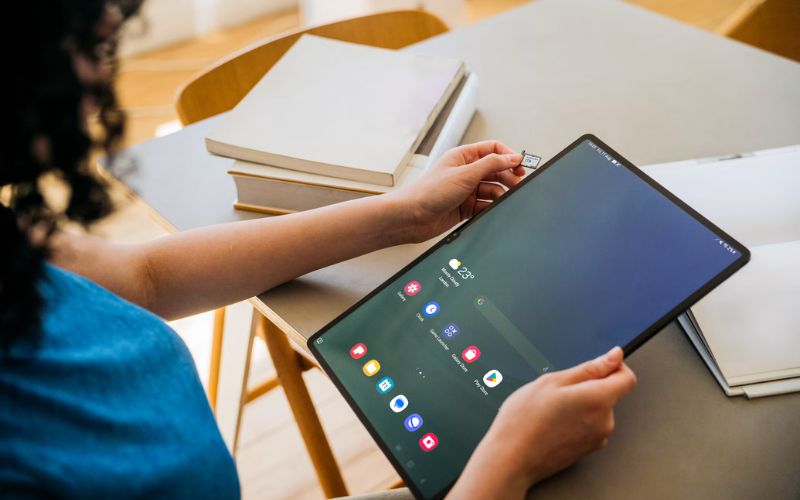
For many users, 128GB is a practical starting point for apps, documents, and downloaded media. Choose 256GB or more for large games or creative files. Some Android tablets support microSD expansion.
6. Battery Life and Charging Speed
Look for enough battery life to cover your typical daily use. Actual runtime depends on screen brightness and workload. Fast charging is useful for students, travelers, and anyone using a tablet throughout the day.
7. Wi-Fi vs. Cellular Connectivity
Wi-Fi tablets generally cost less, while cellular models offer internet access away from Wi-Fi with a compatible data plan. If you only occasionally need mobile access, smartphone hotspot sharing may be sufficient.
8. Price, Accessories, and Long-Term Value
Consider the total cost of the tablet, stylus, keyboard, case, and connectivity. Software updates, durability, and repair options also matter when deciding whether a device offers good long-term value.
>>> Read More: Best Tablet for Business 2026: 6 Choices for Different Needs
2. Which Type of Tablet Is Best for Your Needs?
The best tablet depends on how you plan to use it. Knowing what to look for when buying a tablet or iPad can help you prioritize the features that matter most for your needs.
- Students: Choose stylus support, reliable performance, and battery life for notes and coursework.
- Kids: Prioritize parental controls, durability, and age-appropriate apps.
- Office workers: Consider keyboard support, multitasking performance, video-call quality, and compatibility with productivity apps.
- Seniors: Choose a clear display, readable text, intuitive controls, good speakers, and useful accessibility features.
- Movie lovers: Focus on display quality, screen size, strong speakers, battery life, and streaming app compatibility.
- Budget users: Prioritize essential features, software support, and overall value over premium specifications.
3. How Much Should You Spend on a Tablet?
Understanding what to look for when buying a tablet is only half the decision. The next step is setting a realistic budget based on the features you actually need, without paying extra for unnecessary upgrades.
Most everyday users can find a capable tablet for $150–$300, while students and professionals may benefit from spending more for stronger performance and productivity features.
Here’s what different budgets typically offer:
- Under $150: Basic tablets for reading, browsing, and casual streaming.
- $150–$300: Affordable tablets with solid everyday performance for families and casual users.
- $300–$600: Better displays and multitasking capabilities for studying, gaming, and creative tasks.
- Over $600: Premium tablets with advanced displays, powerful processors, and professional features.
Before buying, compare the total cost, including a stylus, keyboard, case, or cellular plan. Prices vary by model, configuration, and retailer.
4. What Mistakes Should You Avoid When Buying a Tablet?
Knowing what to look for when buying a tablet can help you compare your options, but avoiding common purchasing mistakes is just as important. Here are the key pitfalls to watch out for before making your decision.
- Buying based on price alone: A cheap tablet may lack the features or performance you need.
- Choosing insufficient storage: Limited space can quickly fill up with apps, photos, and downloads.
- Ignoring software compatibility: Check essential apps and future software update support.
- Overlooking connectivity: Wi-Fi-only tablets may be inconvenient without reliable internet access.
- Forgetting extra costs: Styluses, keyboards, cases, and data plans can increase your budget.
Compare your actual needs with the tablet’s specifications before buying.
>>> Another helpful blog: iPad vs Samsung Tablet 2026: Which One Fits You Better?
5. Where Can You Find an Affordable Tablet Without Overspending?
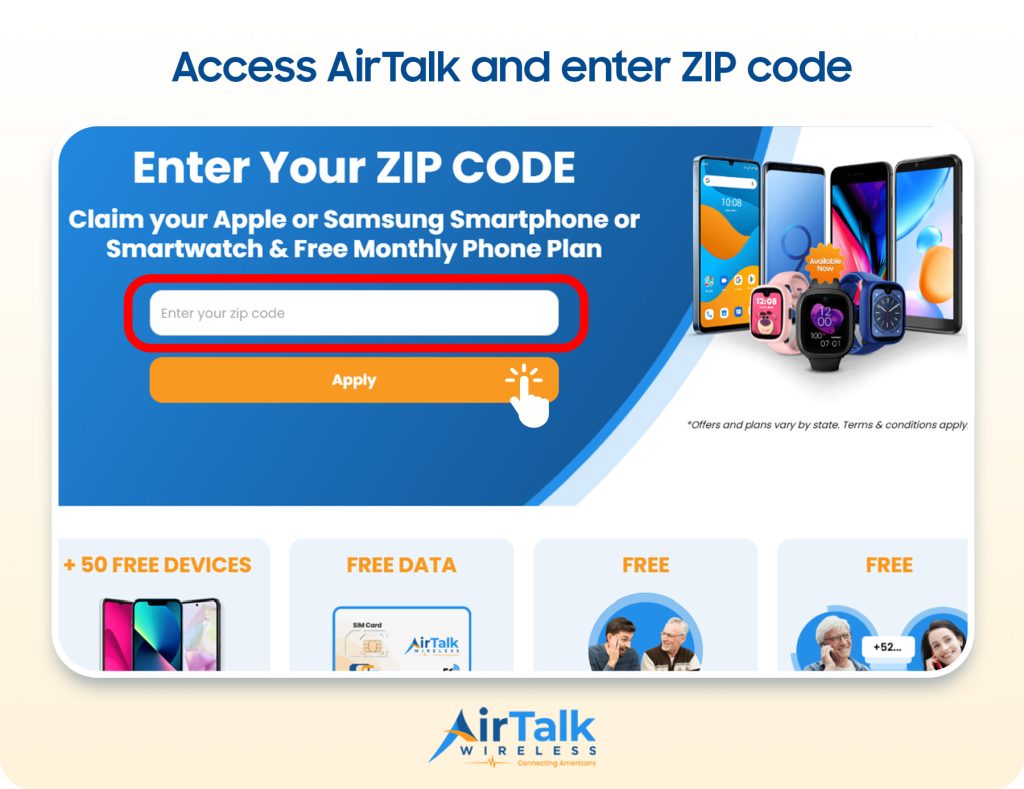
If buying a tablet at full price stretches your budget, AirTalk Wireless may be worth exploring. As a Lifeline provider, AirTalk helps eligible low-income households save on monthly wireless service while offering select discounted tablets through separate promotions.
Who may qualify? You may be eligible for Lifeline if your household income is at or below 135% of the Federal Poverty Guidelines or you participate in programs such as SNAP, Medicaid, SSI, or Federal Public Housing Assistance.
How to get started:
- Enter your ZIP code on AirTalk Wireless to check available plans and device offers.
- Compare tablet options and review pricing, data benefits, and any required payment.
- Complete your application with personal information and eligibility documents if requested.
Tablet availability and pricing vary by location and current promotions. Qualifying for Lifeline does not guarantee a free tablet.
6. FAQs
How much RAM should a tablet have?
For basic browsing, streaming, and reading, 4GB of RAM can be sufficient, while 6-8GB provides more room for multitasking and demanding apps. Power users, gamers, and creators may benefit from 8GB or more, depending on the operating system and workload.
Is 256 GB enough for a tablet?
Yes, 256GB is enough for most users and provides plenty of space for apps, documents, photos, downloaded videos, and games. You may need more if you regularly store large video projects, extensive media libraries, or other storage-heavy files locally.
Is it better to buy an iPad or Samsung tablet?
iPads are a strong choice for users who value Apple’s ecosystem, tablet-optimized apps, and long-term integration with other Apple devices. Samsung tablets offer greater Android flexibility, a wider range of price points, and S Pen support on many models, so the better option depends on your priorities.
What is a good battery life for a tablet?
Around 8-10 hours of real-world use is a reasonable target for an everyday tablet. Longer battery life can be particularly valuable for travel, school, or workdays when charging opportunities are limited.
7. Final Thoughts
The right tablet does not need the most impressive specifications; it needs the features that fit the way you actually use it. With what to look for when buying a tablet, consider performance, storage, battery life, display quality, connectivity, and long-term software support alongside price.
Thinking about both current and future needs can help you get better value from your purchase. Visit Zeo Learn for more practical tablet comparisons, buying advice, and everyday tech tips.