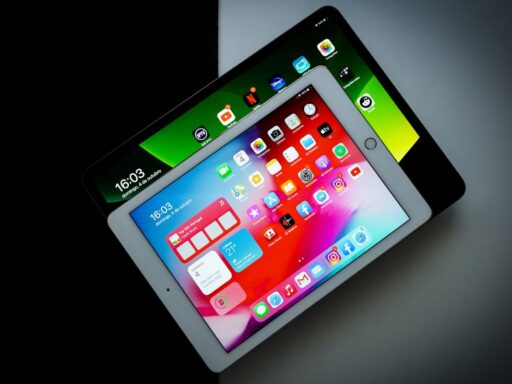




Spending less than $100 no longer means settling for a tablet that can barely handle everyday tasks. The best tablet under 100 can provide enough performance for streaming, reading, browsing, video calls, kids’ apps, or casual study without stretching your budget.
This guide compares 10 practical options in 2026, including new budget models and refurbished devices that can offer surprisingly strong value for the price.
1. What’s the Best Cheap Tablet Under 100$ in 2026?
The best tablet under 100 dollar depends on your needs. Amazon Fire HD 8 is a practical choice for everyday entertainment, while Fire 7 suits tighter budgets. For Android flexibility, Lenovo, Samsung, and onn. tablets are worth comparing, although some require discounts or used-device pricing.
| Tablet | Screen | Best for | Under $100 Availability |
| Amazon Fire HD 10 | 10.1″ | Streaming | On sale |
| Amazon Fire HD 8 | 8″ | Portability & value | Standard options or sales |
| Amazon Fire 7 | 7″ | Basic tasks | Commonly |
| Lenovo Tab M9 | 9″ | Everyday Android use | Sale or used |
| Samsung Galaxy Tab A9 | 8.7″ | Android users | Sale or used |
| Amazon Fire HD 8 Kids | 8″ | Children | On sale |
| TCL Tab | Varies | Casual everyday use | Model-dependent |
| onn. Tablet | Varies | Tight budgets | Select models |
| Used Samsung Galaxy Tab | Varies | Features for less | Model-dependent |
| Used Older iPad | Varies | Budget iPadOS experience | Select older models |
1.1. Amazon Fire HD 10
The Amazon Fire HD 10 offers a 10.1-inch Full HD display for movies, reading, and browsing. If you’re looking for the best drawing tablet for under 100, it can also handle basic sketching with a compatible capacitive stylus, though it lacks advanced pressure sensitivity. Look for sales that bring its price below $100.
1.2. Amazon Fire HD 8
The Amazon Fire HD 8 balances portability and affordability with an 8-inch display. It suits streaming, ebooks, and casual games, especially for Amazon users. Performance is modest, but it’s a practical everyday tablet.
1.3. Amazon Fire 7
The Amazon Fire 7 is among the cheapest options for reading, basic browsing, and lightweight entertainment. Its compact design suits travel, although the smaller screen and limited performance make it less suitable for multitasking.
1.4. Lenovo Tab M9
The Lenovo Tab M9 is a practical contender for the best tablet under 100 dollar, featuring a 9-inch display and Android app access for streaming, browsing, and everyday tasks. It offers more app flexibility than Fire tablets, although finding one below $100 may require a sale or used-device deal.
1.5. Samsung Galaxy Tab A9
The Samsung Galaxy Tab A9 combines an 8.7-inch display with Samsung’s Android experience. It’s suitable for everyday apps and light multitasking. Look for discounted or used models to stay within the $100 budget.
1.6. Amazon Fire HD 8 Kids
The Amazon Fire HD 8 Kids includes a protective case and parental controls for younger users. It’s useful for educational content and entertainment, although the complete package may exceed $100 outside promotional periods.
1.7. TCL Tab
TCL’s budget tablets offer Android-based options for browsing, videos, and communication. Screen sizes and performance vary by model, so compare storage, software support, and the exact specifications before buying.
1.8. onn. Tablet
For shoppers who want to stretch every dollar, Walmart’s onn. tablets are worth exploring. Some models rank among the best tablet under 100 dollar options for casual streaming, reading, and everyday apps. However, compare RAM, storage, and software support carefully, as features vary across models.
1.9. Used Samsung Galaxy Tab
A used Samsung Galaxy Tab may offer better hardware than some new budget tablets. Students interested in drawing should check older S Pen-compatible models, but confirm stylus support, battery condition, and software compatibility.
1.10. Used Older iPad
Older used iPads may provide affordable access to Apple apps and familiar iPadOS features. Before buying, verify the generation, supported apps, battery condition, and return policy. Very old models may no longer receive important updates.
2. What to Expect From Best Tablet Under 100$
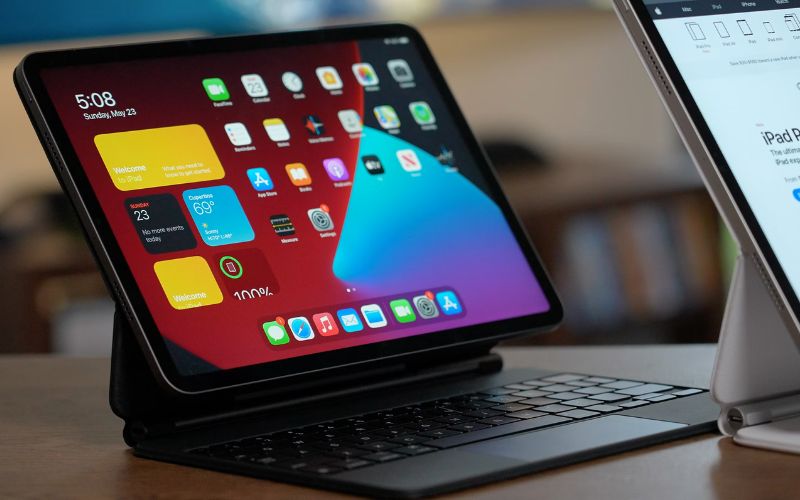
The best tablet under $100 can handle everyday tasks like streaming, reading, browsing, and light gaming, but performance and features are generally limited compared with more expensive models.
What Budget Tablets Can Do Well
Most budget tablets support:
- Entertainment: Streaming videos, reading eBooks, and casual games.
- Everyday tasks: Web browsing, email, and video calls.
- Basic learning: Educational apps, digital textbooks, and simple assignments.
Where Cheap Tablets Fall Short
Tablets under $100 often have slower processors, limited RAM and storage, basic cameras, and lower-quality displays. Demanding games and heavy multitasking may struggle, while older models may lack recent software or security updates.
>>> Read More: What to Look for When Buying a Tablet: 7+ Things That Matter
3. How to Choose the Best Tablet Under $100
The best tablet under 100 dollar should offer a readable display, sufficient RAM and storage, reliable battery life, and access to essential apps. Focus on these factors before buying.
- Screen Size and Display Quality
Choose a 7–8-inch screen for portability or a 10–11-inch display for streaming and schoolwork. Compare resolution and brightness to ensure comfortable viewing.
- RAM, Storage, and Battery Life
Look for at least 3GB of physical RAM and 32GB of storage where possible. Choose 64GB for more apps and downloads. Check battery life and microSD support for additional flexibility.
- Operating System and App Compatibility
Fire OS suits Amazon services, while standard Android offers broader Google Play access. Confirm your essential apps work and check the tablet’s software update support before purchasing.
4. Where Can You Find Affordable Tablets Beyond Retail Deals?
Finding the best tablet under 100 dollar can be tricky. Many budget models have limited features, while better options may only drop below $100 during sales. But retail discounts aren’t your only choice.
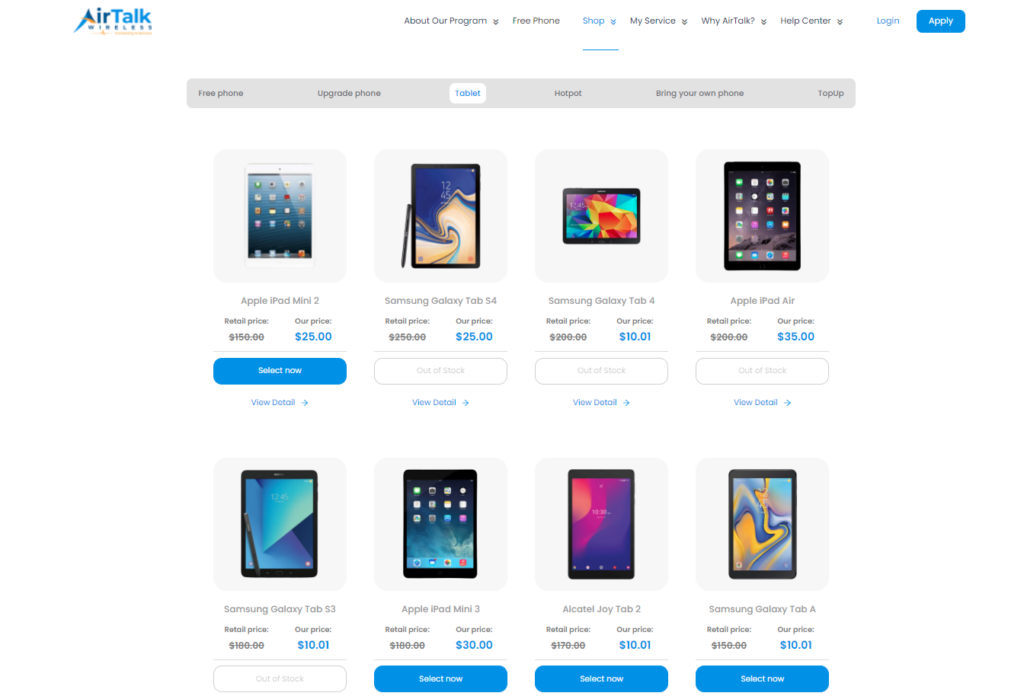
Eligible low-income households can explore special device promotions through AirTalk Wireless, a participating Lifeline provider. Depending on current offers, qualifying customers may find discounted tablets under $100 or even select free tablet promotions.
Who may qualify? You could be eligible for Lifeline if you receive SNAP, Medicaid, SSI, or meet the household income limit of 135% of the Federal Poverty Guidelines.
To get started, enter your ZIP code on AirTalk Wireless, review available plans and tablet offers, and complete the application if eligible.
Lifeline discounts apply to qualifying wireless service, while tablet promotions are separate. Device pricing and availability vary by location.
>>> Other helpful blog: Free Tablet With Data Plan in 2026: Who Qualifies & How to Apply
5. FAQs
Can you get a good tablet for under $100?
Yes, especially if your needs include streaming, reading, web browsing, video calls, and lightweight apps. The strongest options at this price are often entry-level models on sale or refurbished devices, while demanding gaming and heavy productivity generally require more capable hardware.
Is 32GB enough storage for a budget tablet?
32GB can be sufficient for browsing, streaming, reading, and a relatively small collection of apps, but usable space will be lower after the operating system and preinstalled software are included. If you download lots of videos, games, or files, consider 64GB or a tablet with microSD expansion.
Is a refurbished tablet worth buying under $100?
It can offer better specifications than a similarly priced new entry-level tablet, particularly when buying an older Samsung Galaxy Tab or iPad. Check the seller’s reputation, battery condition, return policy, warranty, software support, and exact model before purchasing.
How much RAM should a cheap tablet have?
Around 3GB of physical RAM is a reasonable target for basic everyday use, while 4GB can provide a smoother experience when switching between apps. Tablets with less memory may still handle simple tasks, but multitasking and heavier applications can feel noticeably slower.
6. Final Thoughts
Smart tablet shopping comes down to matching your budget with the features you’ll genuinely use. The best tablet under 100$ can handle everyday streaming, reading, browsing, video calls, and light learning without demanding a premium price.
Compare performance, storage, software support, and refurbished or discounted options before deciding. For more straightforward tech comparisons and buying insights, explore Zeo Learn and make your next upgrade count.