




There are several reasons you might be wondering what’s causing my slow Internet. Often, latency or bandwidth problems are the root cause. These two key aspects of internet speed can determine whether your online experience feels frustrating or smooth while streaming, gaming, browsing, and more.
This blog article will go further into what is latency vs bandwidth, helping you better troubleshoot connection issues and make the most of your internet service.
What Is Latency vs Bandwidth?
People sometimes refer to bandwidth and latency together, although these are two distinct aspects of understanding your internet connection.
What is Latency?
Latency is the time it takes for data to travel between two sites, commonly measured in milliseconds (ms).
It affects the responsiveness of a variety of online activities, including online gaming, video conferencing, and web surfing.
Generally, the higher the latency, the less responsive the webpage seems. High latency suggests longer delays and poorer performance, whereas low latency indicates shorter delays and quicker responses.
What is Bandwidth?
Bandwidth refers to the maximum amount of data that can be sent between two sites on a network (such as the internet).
It is typically measured in megabits per second (Mbps). Higher bandwidth enables faster downloads of large files, better gaming and video streaming, and lets numerous users run data-intensive tasks without severe slowdowns.

What Are the Differences Between Latency vs Bandwidth?
Based on the definitions of what is latency vs bandwidth, it is clear that both are necessary for a seamless online experience.
However, they are different in these aspects:
| Latency | Bandwidth |
| Represents the time it takes for data to travel | Measures the amount of data transported |
| Measured in ms | Measured in Mbps |
| High impact on gaming, video chat, browsing | High impact on video chat, downloading |
>>> Read more: How To Screenshot on Chromebook: Quick and Easy Methods
How Do Bandwidth and Latency Affect Internet Performance?
Understanding what is latency vs bandwidth helps explain how your internet actually performs in real-world use. Both factors work together to shape speed, responsiveness, and overall connection quality.
- Streaming
Thanks to high bandwidth, you can stream in HD or 4K without buffering. At the same time, because video is downloaded ahead of time, latency is not a major concern for streaming.
- Gaming
A high-latency connection results in delayed reactions, which can be the difference between a victory and a painful loss. Bandwidth is less important unless you have several people gaming and streaming in the same place.
- Video conferencing
Low bandwidth results in grainy, choppy video. High latency generates uncomfortable delays that make it appear as if you’re speaking over one another.
- Downloading/uploading
The higher bandwidth, the faster the downloads. Except when downloading from a very distant server, latency has no effect on performance.
How to Improve Latency vs Bandwidth?
Now you know what is latency vs bandwidth, as well as how they affect your Internet experience. If you’re experiencing sluggish connection, here is a step-by-step guide for dealing with latency and bandwidth issues:
Restart Your Network
Devices and routers often accumulate minor errors over time, which can reduce performance. Luckily, a quick restart can restore better data flow and minimize delays in online activity.
- Turn off your modem, router, and all other connected devices
- Wait approximately 30 seconds before turning everything back on
This helps eliminate temporary network issues and refresh connections.
Check Your Wired Connections
Loose or damaged Ethernet cables can cause slow speeds and higher latency. Therefore, when you learn what is latency vs bandwidth, you can better understand how poor wired connections impact both performance and stability.
Replace any frayed or worn cables with high-quality ones rated for your network speed. Also, make sure your devices are connected to the correct ports on your router or switch.
Check Your Router Settings
WiFi causes latency and bandwidth issues because it adds an extra translation step between you and your destination.
Nevertheless, a busy channel, an inappropriate channel width, and poor quality of service (QoS) settings are just a few of the variables that might cause unwanted slowdowns.
Purge Unused Devices
Having too many devices connected to your network can slow down performance and increase latency. Meanwhile, each device competes for bandwidth, which can cause delays in streaming, gaming, or video calls.
To avoid that, disconnect devices that aren’t actively in use to free up your network and reduce lag.
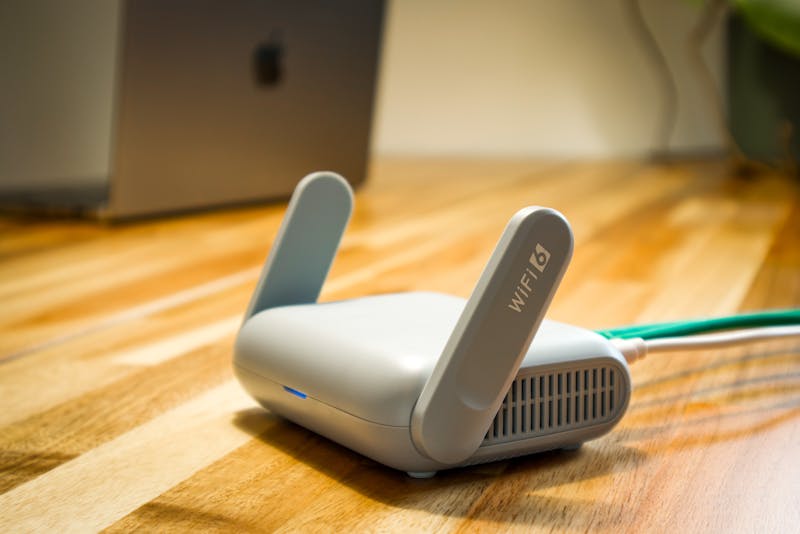
Upgrade Your Router
Older devices struggle to handle multiple connections or higher speeds, creating bottlenecks that affect both latency and bandwidth. This is easier to understand when you know what is latency vs bandwidth, since both factors are directly impacted by hardware limitations.
For this reason, upgrading to a modern router can improve overall network stability, support more simultaneous connections, and reduce delays. A capable router ensures your devices communicate efficiently and helps maintain optimal network performance.
Reset Devices
Restarting your modem, router, and connected devices can clear temporary issues affecting network performance.
It helps your devices re-establish proper network communication, which is key to maintaining a seamless Internet experience. This simple step often resolves lag and refreshes connections.
Upgrade Your Internet Plan
Even if you replace your modem and WiFi router with newer, faster models, your internet service provider still limits the bandwidth of your connection. When you understand what is latency vs bandwidth, it becomes clear how these limits affect both speed and responsiveness.
If your connection frequently slows under normal use, it may be time to upgrade your internet plan. Higher-speed plans provide more bandwidth and better latency, which can improve download and upload performance.
>>> Read more: How To Fix Slow DNS Lookup? 10 Effective Troubleshoots To Try
Find a New Provider
Sometimes your current Internet service provider can’t meet your speed or latency needs.
Hence, try researching alternative providers in your area to compare offerings, speed caps, and network quality. A new provider may offer lower latency, more reliable bandwidth, and better overall performance.
FAQs
Is 40 latency good or 50?
A latency of 40 ms is generally better than 50 ms. Lower latency means faster response times, which is ideal for gaming and video calls.
What latency should my Wi-Fi be at?
A latency of 50 to 100 ms is suitable for surfing and streaming, while less than 30 ms is ideal for gaming or video calls.
What is more important, latency or bandwidth?
Both matter, but latency is crucial for real-time tasks like gaming or video calls, while bandwidth affects download and streaming speeds.
Final Words
Understanding what is latency and bandwidth is essential for improving your overall internet experience. Bandwidth determines how much data you can transfer at once while latency affects how quickly that data begins to move.
Both play an important role in activities such as streaming, gaming, video calls, and browsing. By applying simple optimization tips such as upgrading your router, reducing network congestion, and choosing the right internet plan, you can significantly improve performance and reduce disruptions.